

Hello Friends!
I meant to have this posted Monday (I hope to have a Plan w/ Me post every Monday from now on), but it was such a busy start of the week.
I’m so excited to be moving in to my new Erin Condren Life Planner!!! I started using an ECLP in 2014 and since then it has gone through a lot of transformations and updates with every year’s release. I am loving this year’s (2019-2020) kaleidoscope geometric design and colors. There have also been more structured planning sections added that were not there previously and I feel these would be very helpful to me as I’m not the most creative and artistic to re-purpose something for something else so I like to have a template to work with.
I’m gonna to be showing you an overview of the full planner, with how I will be planning to use those sections. I follow a lot of Instagram planner accounts so a lot of my ideas are actually inspired by them. At the end I will show you my first week’s layout and the kit that I used to decorate it all out with. Now, as a heads up – this is going to be a LONG post as I will be showing you the inside of the planner and it’s different section before I show you my layout for the week. So grab a coffee or tea, and something to snack on while you read and scroll through 😀 ❤
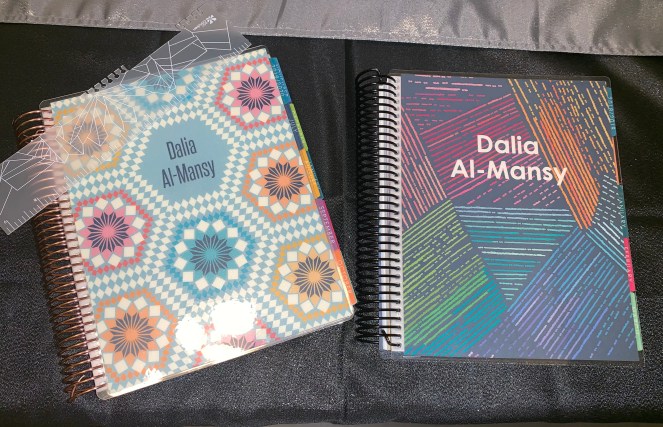
So first let’s take a look at the new planner vs. my “old” planner. My “old” planner is really just a 2019 12-month planner so I’ve been using it really since January of this year, and honestly not consistently as I would have liked. I know some people don’t like the bulkiness of a big planner, but what I love about have the 18-month planner is it’s fullness compared to how skimpy the 12-month seems to be LOL! It’s a kind of weird thing to like right?! Now with that said, I don’t know if I will be getting another 18-month come June 2020 or just keep on using this one until the end of 2020 – I guess it depends on how full it becomes in that year, what with stickers and notes and stuff.
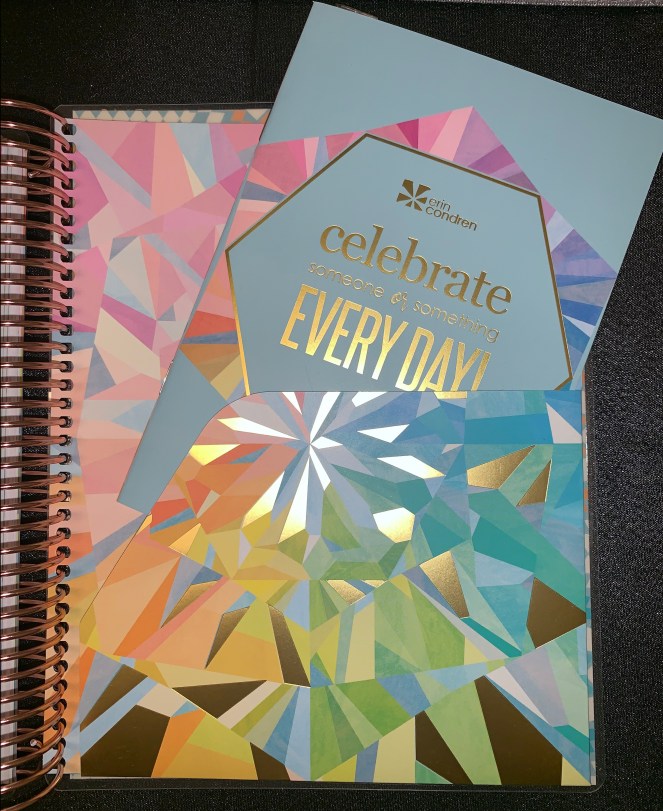
Once you open the planner you have the name plate page with a velum colorful overlay (I forgot to mention that Erin Condren also has a neutral version of all 3 layouts of the planner if you don’t like the colorful version). The inside cover of all the covers now has this dry-erase surface so you can use it to jot down notes with a dry-erase marker. The bar code at the bottom I believe is for quality control purposes as they are being processed. As you can see, I haven’t yet written my name in my planner – mainly due to intimidation of not wanting to ruin how beautiful it is! Not that my handwriting is terrible 😀 But there are Etsy shops that can customize a name plate sticker for you…might be looking into them and I’ll post an update if I do.

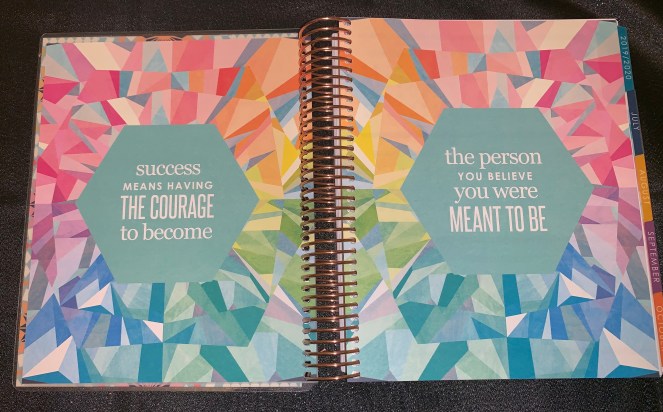
Another thing I love about all Erin Condren planners is that they come with beautiful inspirational and motivational quotes throughout the planner (one on each month’s divider page). When you open up the planner past the name page you see this beautiful kaleidoscope design with this year’s quote. Because of how beautiful this page is, I’ve seen a lot of people clip in their sticky notes or dashboards to this section so they have a reason to flip to it often whenever they use their planners.
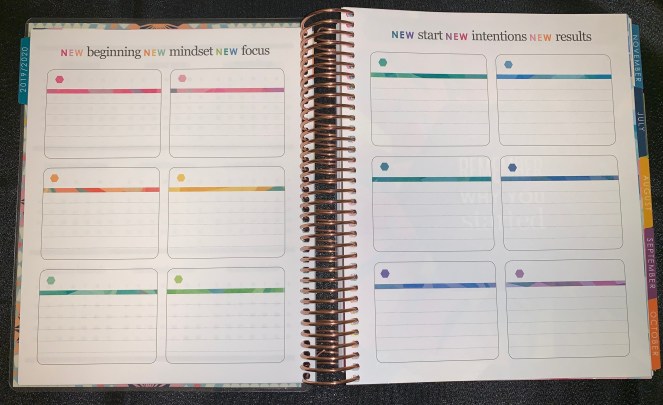
Once past all the decorative stuff, we now go into the functional and planner stuff (the reason why you spent all that money in the first place, right!). The first section is this 18-month year at a glance to see all the months from July 2019 to December 2020 to help you track monthly events. My plan for using this section is to use the dot stickers from Erin Condren (waiting on my order of them) to track the following: monthly cycle; days off/vacation; and Islamic holidays (Ramadan and the 2 Eids mostly). For those with school-aged kids, I’ve seen posts of how it’s used to track school schedules, days off and holidays, PTA meetings, sports, etc. – it’s really up to you how you want to use this page.

This next section has been in the planner for a few years and has gone through several revisions until it is what it is for this year’s planner. I like that they added lines to the boxes to give them that journaling card look. In the past I have not really effectively utilized these boxes because I could never figure out what I want to do with them. Because they are just 12 boxes, the majority of ideas I’ve seen for using them is goal setting – a box per month. However, this year (starting with July) I plan to utilize this section as an accountability section for me for tracking my blog posts and stats. I’ve attempted having a blog in the past, but after a few posts I would fall out of the habit and I want to hold myself accountable for continuing to do this and hope this will be a good motivational tool to keep me going.
After the goal-setting section (I’m just going to call it that for easy reference), we get into the monthly section. Each month is tabbed and has a colorful thicker divider page with an inspirational quote. The tabs are laminated so they are fairly durable and hold up throughout the year. Also, last year they changed to a different kind of paper (for the entire planner) that is thicker and more resistant to pen shadowing and bleeding through. At the front of each month is this blank lined notes page. In the past I’ve used it as a bill tracker to list my bills for the month and track how much I paid and remaining balances. However, now that I have a separate book for that, I plan to use this section as an end of the month reflection journal entry page to highlight memorable moments and events and thoughts on how the month went.

This next section is new to this year’s planner release in that the divider section used to open up directly the monthly overview, but now you have this section for added tracking and functionality. The left hand page is a blank page which I plan to use to post pictures and mementos from the month (i.e. July 4th, birthdays, vacation, etc.). The right hand page is more structured in that it has specified sections. The section titled “Birthdays” I plan to use as a birthdays and important dates to note tracker. The “Monthly Goals” section I plan to keep as is and every month I have 4 primary categories I would want to focus on: Fitness, Religion/Spirituality, Work, and Family – the specific goal can vary to each month as I find myself accomplishing the one I set before in that area. The next 2 sections are blank to use as you see fit. The small lined box I plan to use for my own quote of the month, and the dot-grid section at the bottom as a monthly habit tracker (i.e. saving, no-spend, eating healthy, etc.). This section is also color-coordinated to each month’s color palette.

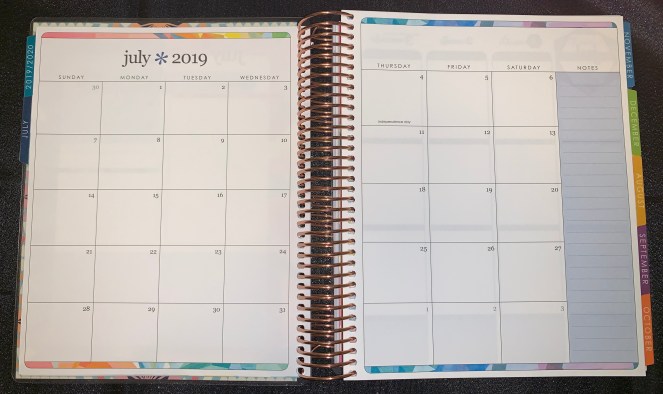
Next section is the monthly overview which is pretty much straight forward. They did change the layout in that the top part where the month and year are used to be one big color block (again varies with each month’s colors). This year they cleaned it up a bit and only have the colorful lines at the top and bottom. I love this waaaay more because it gives it a very clean and fresh look, and then you can definitely add more color with stickers and doodles. There is also the sidebar “Notes” section for any memos you need to keep in mind or to-dos for the month. My main use of this section will be for bill due dates (I’ve customized some stickers on the EC website for this) and upcoming events (i.e. birthdays, days off, vacation, etc.). In the past I’ve used monthly kits to cover up the tops and dates, but with how clean this looks, I’m thinking of just using it as is without adding anymore to keep it looking nice and simple (and less bulk to what eventually it will be LOL).
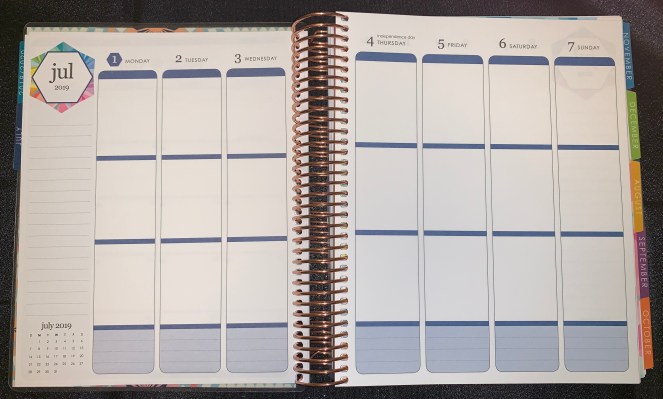
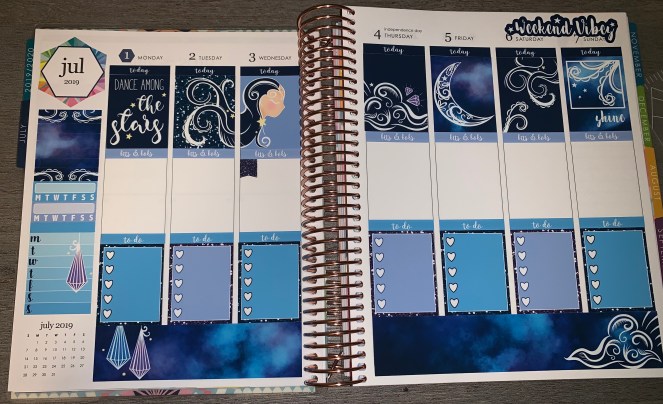
We are now in the weekly layout of the planner where all the fun happens! As I mentioned, I use the vertical layout but there is also the horizontal and hourly layouts available – depending on your planning needs and what works best for your system. This section of the planner has also undergone many transformations over the years as they tried to accommodate people’s demands and recommendations. While there will always be someone not satisfied with something, this year they went with a more rounded top header, narrower middle headers for the middle and bottom boxes, and a color-blocked section at the bottom. In the past the bottom part was just a lined section, but they made it more of a block as part of each day. Some ideas I’ve seen for how others plan to use it to plan: meals, fitness, water, etc. The sidebar was also updated from having a random blank box from last year’s release to just having the month in a colorful design (again for the colorful option) and a mini month view at the bottom. I like this little month view so if I need to know the date of something upcoming, I don’t have to flip through the weeks or to the bigger monthly view section. For the most part I use weekly kits to brighten and bring more color and pictures to the week (you’ll see what I used for the first week later), but I’m also looking forward to trying some weeks of just basic planning using minimal stickers and different colored markers and pens.
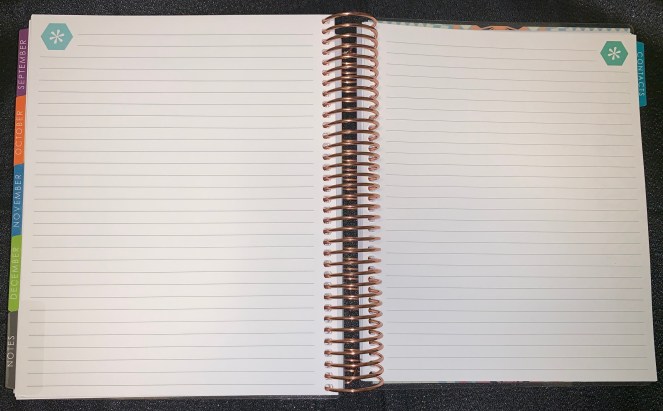
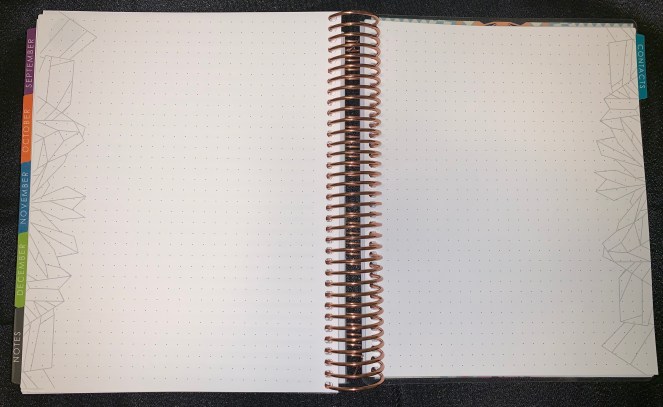
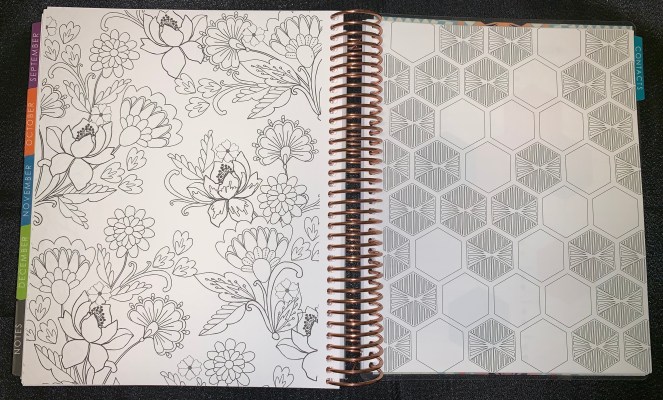
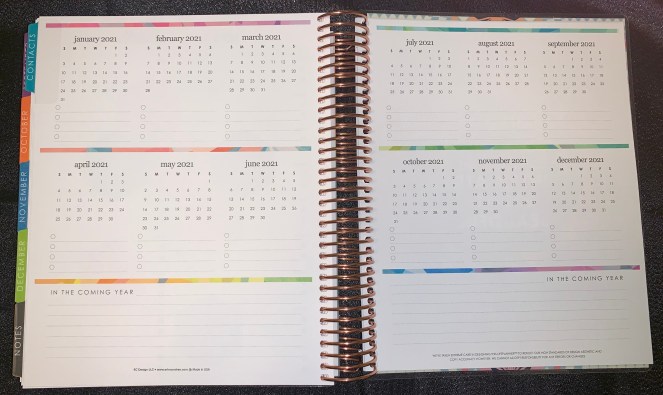
After the month of December 2020, you move into the Notes section of the planner. This section includes some lines pages (4 sides), dot-grid pages (4 sides), 2 coloring pictures, a hexagon diagram (new to this year’s release), a contacts page, and a 2021 planning ahead page. Again, this section has gone through several revisions over the years and I think they’ve hit a good balance by now. The coloring pages were a lot I felt last year, so just the 2 pages (sides) are good this year – with one of them that can also be used functionally to track habits and milestones or just fun ideas. The hexagon section reminds me of a the Inkwell planner in that they have a similar design to help you track milestones and goals. My inspiration for using this section came from the Instagram account @plansarahplan where she made 2 posts each with 9 ideas of how to use this page. I plan to use this section as either a savings challenge tracker, or tracking the Dave Ramsey method of saving and paying off debt. For the notes sections (both lined and dot-grid) I plan to use them for the following ideas: life goals; books read; craft ideas, blog post ideas; debt tracking, weight loss tracking, and habits & routines. I’ve never used the let’s keep in touch section so I don’t really know how I will utilize it or re-purpose it for this year.

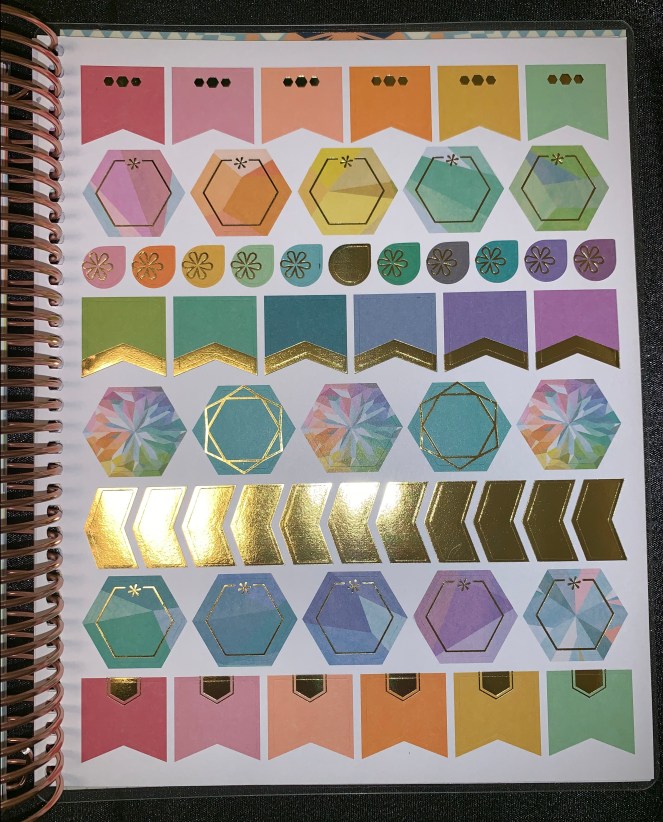
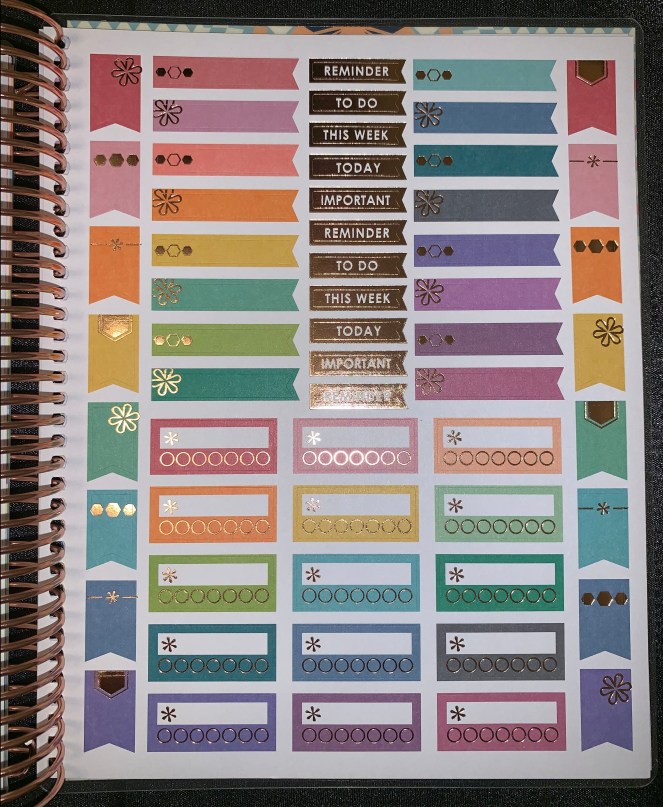
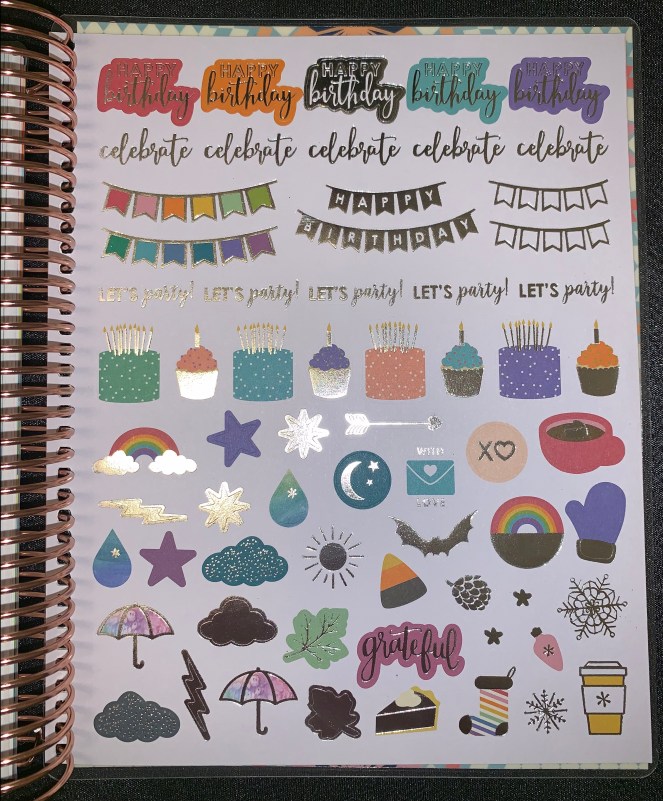
At the end of the book, there are also some gorgeous stickers both functional and decorative, and BEAUTIFULLY gold, rose-gold, and silver foiled! There are a total of 4 pages of stickers with page flags, reminder and habit tracking stickers, decorative, and labels perfectly sized to use on either the monthly or weekly layout.

Another thing they have updated this year is the keep it together folder at the back. It is a double-sided slip folder to hold stickers and other loose paper you don’t want to lose track of. I usually keep the remaining stickers from the kit I’m using for the week so I can use them throughout the week for events and marking to-dos. I also keep the perpetual calendar that came with the planner. The update they made for this year was making both folders on either side high-sided (is that a thing?!). Last year the folder on one side had a long edge to prevent paper from falling and the one on the other side was very short and wasn’t really good at holding much as they tended to fall out.
So that is it for the look-through of the planner. YOU GUYS STILL WITH ME?! LOL!!!!
For my first week in the new planner I used the “Stargazer Functional” kit from FrankHeartsYou on Etsy. The sticker kits are more on the pricey side, but I just LOVE the velvety smoothness of the feel of the stickers! The kit’s stickers are matte, but they also have glossy options. They also have no-white-space kits in their shops as well (I have a Harry Potter one that I am planning on using soon for my first week of September so stay tuned for that 😀 ).
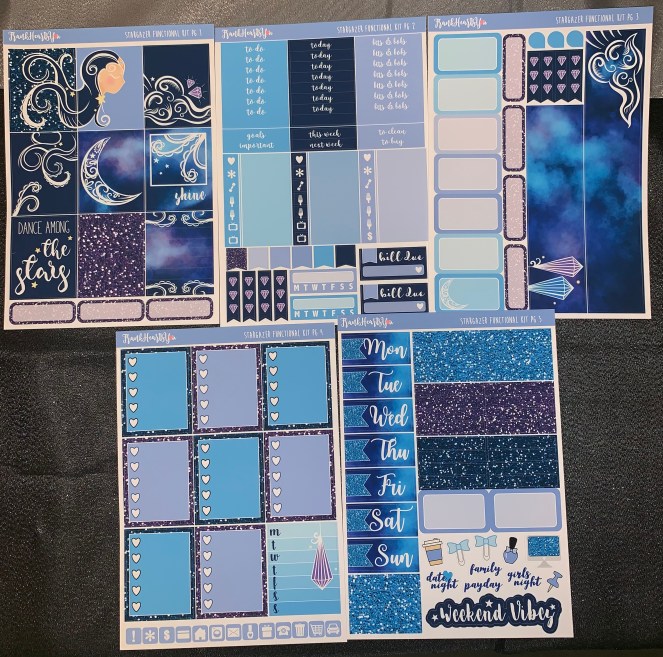
The full kit is 5-pages of stickers and you can use either all or some depending on your preference. As you can see in my layout I did not use the date covers, glitter headers, meal or TV headers, the decorative stickers, or all the page flags. The event boxes I use as needed as well as the page flags throughout the week. For the most part I do like to show white sections of the week and not go entirely no-white-space. I did leave the colorful July header and the mini monthly view on the sidebar visible because I love how they look. For now I did use the bottom washi to cover the bottom boxes but might not always do so and use the boxes, depending on the week and just trying out different planning styles each week. There were some concerns I’ve seen posted about the rounded header and the narrow box headers and how they will work with old sticker kits. However, I did not have any trouble with that and I was able to use the kit just fine by placing the stickers in a way that nicely covered the boxes without them peeking through. If you like, I can post an end of the week post every Sunday to see how the week progressed. Please let me know in the comments below if you’d like a before and after weekly look 😀
I REALLY hope you guys enjoyed this post!!!! I’m so sorry for how long it is, but I wanted to be thorough for those who may not have seen the Erin Condren planners before or the updates that have been made for the 2019-2020 release, as well as some ideas of how to use the planner sections and other things to incorporate in it to really get the most out of using it throughout the year.
If you are interested in getting an Erin Condren planner you can use my referral link HERE which will give you $10 OFF your first purchase (you must be a new account) and well as immediately start earning points for more rewards and discounts. Although I’m only just showing the colorful vertical version (it’s really the only version I found that worked for me), they also have horizontal and hourly layouts – all in either the colorful or neutral editions. They also introduced a binder version this year for those who prefer a ring-system – HOWEVER it does not work with standard ring-systems (something to keep in mind) and they will be releasing coordinating accessories and hole puncher I believe.
If you’ve stuck with me through this whole long post you are a trooper and I thank you so much for taking the time to do so ❤
Until next post my lovely friends…XO!!!
 Dose of Dalia
2 thoughts on “New Planner Move-In | Plan with Me Jul. 1 – 7, 2019”